

When we connect to the internet on our Windows computer, we want to do so as securely and privately as possible . Luckily, we always have options available to achieve this. One such option, which you've probably heard of, is Tor. We'll tell you all about it below.
So you can learn what Tor is and what it's used for. Some users may already know all about it, but for those interested in browsing the internet securely and privately on their computers, this will surely be helpful.
What is TOR and what is it for?

TOR is the name of a project. This project aims to create a network overlaid on the internet, connecting you to the network in a different way. This provides access to a private connection where data such as your IP address is not revealed, making it very difficult to discover your identity. This functionality is probably similar to that of VPNs.
This type of connection allows us to access the internet normally . Furthermore, it avoids limitations such as content being blocked in certain regions, which undoubtedly provides a great deal of freedom. Tor is also used to access the Darknet or Dark Web, as it allows browsing without leaving a trace at all times. This is one of the key reasons for its current popularity.
What does TOR mean? It stands for The Onion Router, which is probably known to many as onion routing. It's used as a metaphor for the many layers inside an onion. Therefore, it clearly illustrates the purpose of this tool . Thanks to its many layers, TOR prevents anyone from accessing a user's IP address. It also resists certain analytical attacks.
The project has evolved remarkably over the years. It's now a completely free network , accessible by downloading its official application or using its browser, Tor Browser. It's also an open-source project, allowing developers to make changes. You can use the browser if you want; we'll tell you more about that.
How to have Tor Browser
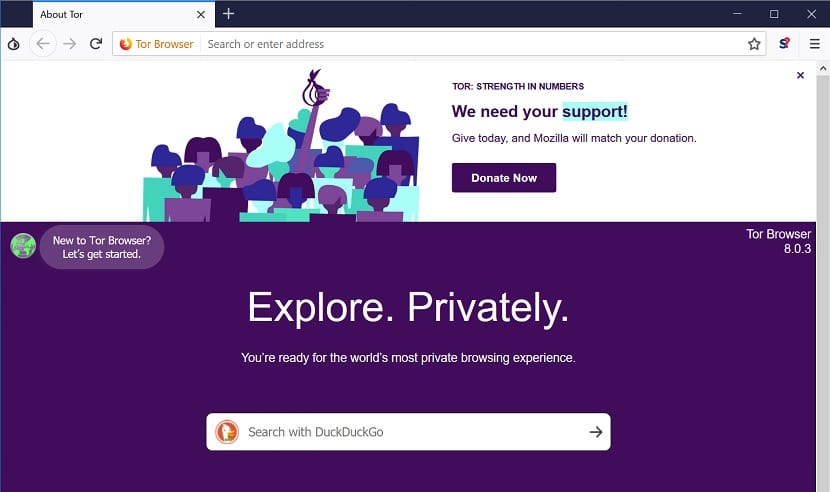
As we've mentioned, it's a project that has come a long way . In the past, accessing the Tor network was relatively complicated, so its use was largely limited to a few users. But over time it has become much simpler. There's one key factor in this, which has made it much easier and more accessible for users: the browser they created some time ago.
This is Tor Browser, one of the most secure browsers available for Windows . Therefore, it's as simple as downloading it to your computer. It's that easy, and this way you'll be able to browse securely and privately on your computer whenever you connect to the internet. The browser has its own website , where you can find information about it, how it works, and where you can download it.
Tor Browser is available in several languages , so you can choose the one you prefer. You can find all the information about this browser on their website . So, if you find the Tor project interesting and want a better browsing experience when you connect to the internet, you can join it by using this browser, which currently has a large online following.
Table of Contents