

Email remains one of our primary communication channels, after more than 20 years. Gmail is the leading service in this area and probably one of the websites we visit most frequently. However, it's not uncommon to encounter situations where we can't access the site. You've probably wondered why you can't open your Gmail, and the good news is that we're going to explain the different scenarios that might occur.
Email is the main communication tool in work and academic settings and for this reason, it is necessary that we immediately resolve any inconvenience related to access to our account.
Why can't I open my Gmail email? What you should check
As we mentioned earlier, problems accessing a Gmail account can stem from various factors, not just one. This means we need to consider all aspects related to accessing the service to pinpoint the source of the problem and resolve it . In this regard, the reasons why you can't open your Gmail can range from Google server outages to incorrect passwords. Let's examine each of these.
User and password
The simplest and most common problem when accessing Gmail involves the username and password. As with any troubleshooting process, we should start with the simplest steps, and in this case, the best thing to do is verify that you are indeed entering the correct username and password . While entering your password, you can unlock the character view to check if you are typing them correctly.
On the other hand, it's worth noting that Gmail offers mechanisms to resolve situations where you've forgotten your username or password . If this is your case, you can click on these options and follow the wizard's instructions to recover them.
The account has been suspended
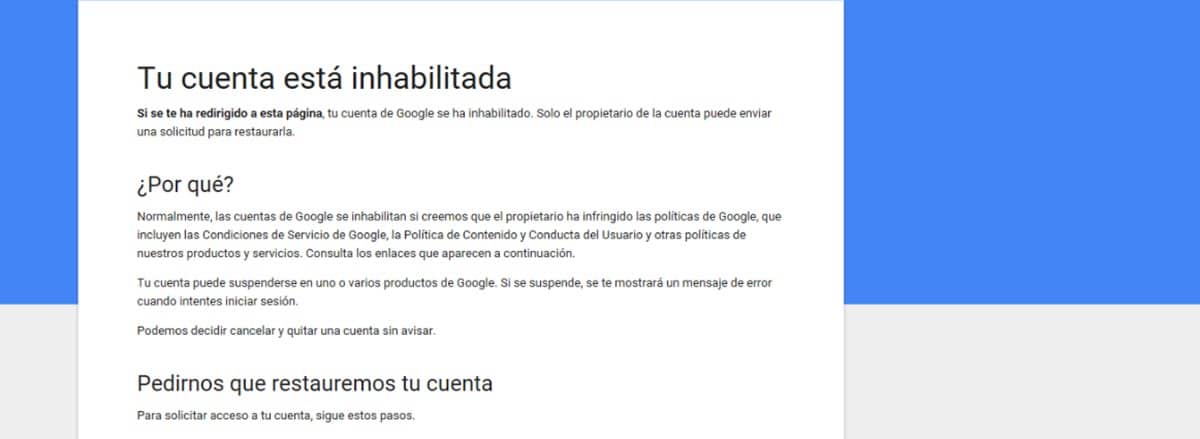
Another reason you might be unable to access your Gmail account is that when you enter your username and password, you receive a notification that your account has been suspended. This can happen when Google detects suspicious activity from the email account . This includes phishing, hacking, distribution of prohibited content, and other issues.
However, if you believe your account suspension was a mistake, you can request its reinstatement . To do so, you'll need to fill out a form with your email address and an explanation of the suspension and your request to have your account restored.

If you try to open Gmail and can't log in, it might be due to the browser you're using. It may not be widely known, but Google's email service has a list of compatible or recommended browsers . These are the platforms on which the company guarantees Gmail will function properly:
- Google Chrome.
- Firefox.
- Safari.
- Microsoft Edge.
It's also worth noting that these browsers must be updated to their latest version to ensure proper functionality. However, this doesn't mean you can't use other web solutions to access Gmail . Many of the available alternatives are Chrome-based and, therefore, will be compatible with accessing the email service.
Cookies and Javascript disabled
A fundamental requirement for Gmail to open in any browser is having cookies and JavaScript enabled. If this isn't the case, you won't be able to access your email; however, enabling them isn't difficult.
For cookies, first go into Chrome's settings. To do this, click on the 3-dot icon in the upper right corner and enter " Settings ".
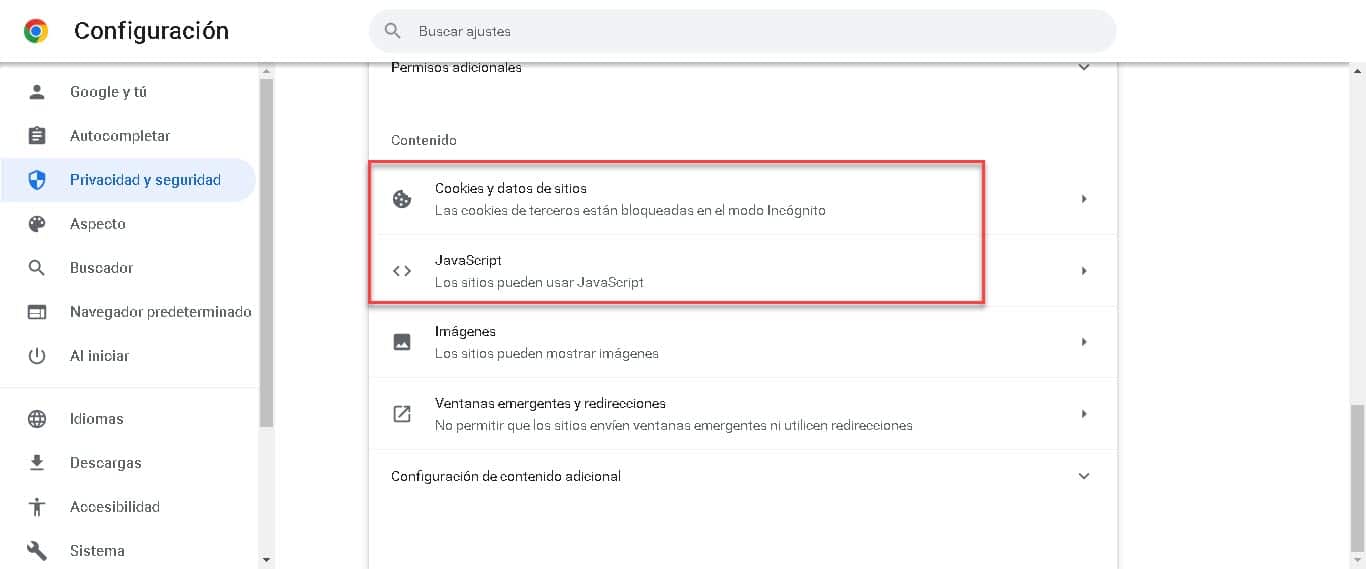
This will open a new tab; go to the “ Privacy and Security ” section on the left side and finally, enable the “ Block third-party cookies in incognito ” option.
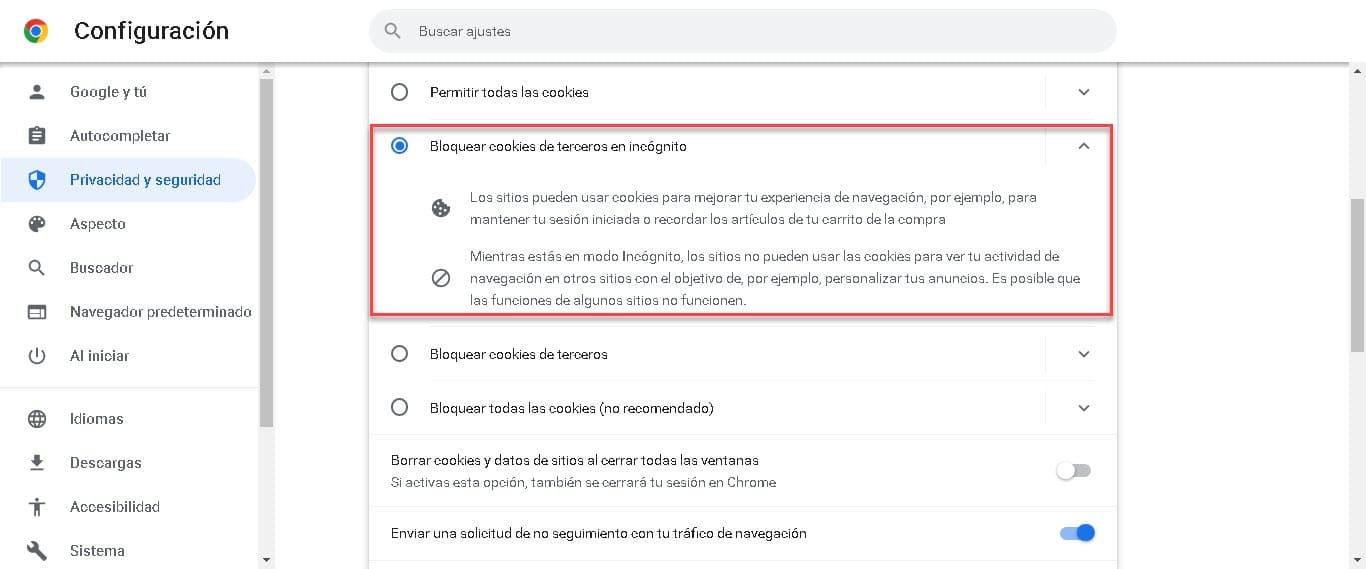
Now, to enable Javascript, go back to “ Privacy and Security ” and then enter “ Site Settings ”.
On the new screen, scroll down and click on the “ Javascript ” option.
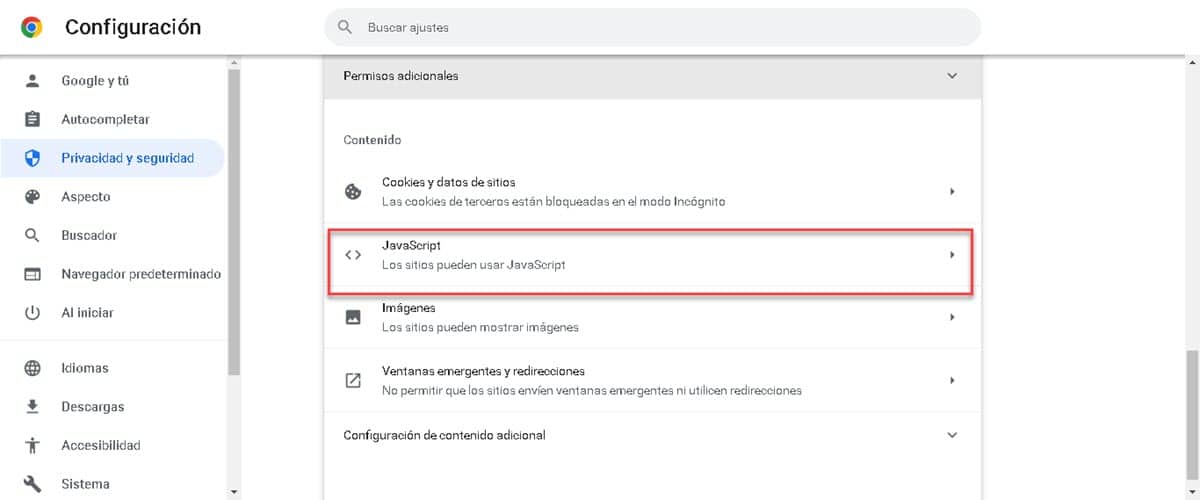
Enable the option “ Sites can use Javascript ”.
Gmail service is down
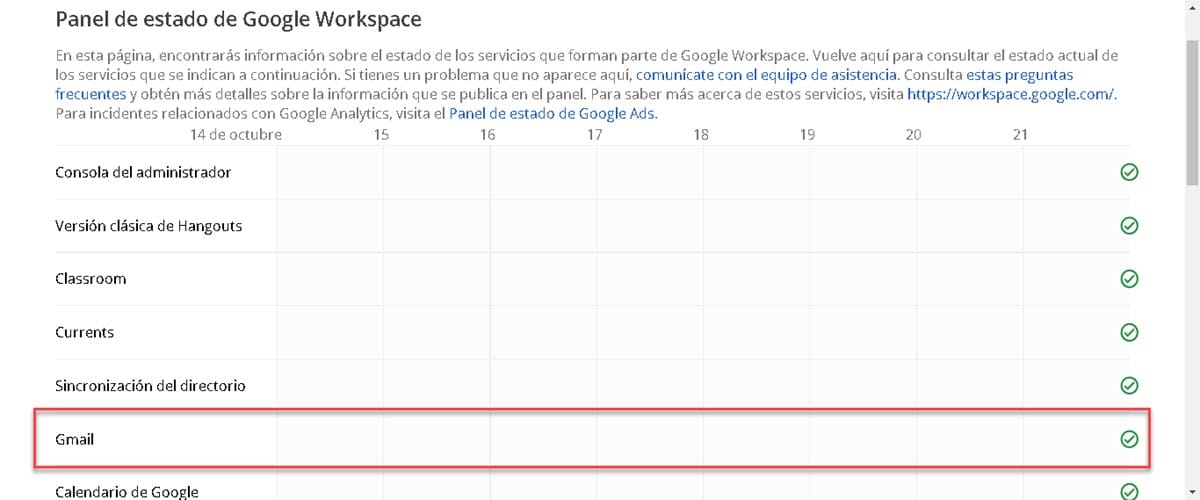
Our final reason for not opening Gmail points directly to Google's servers, which might be experiencing problems. However, this is something we can also check directly through the Google Workspace Status Dashboard . This is a website where you can see if Google services are experiencing any issues at any given time, and this includes Gmail.
To do this, follow this link and go to Gmail to check for service issues. If there are problems, you'll see a red X icon indicating server issues; if everything is working correctly, you'll see a green checkmark.
Table of Contents