In our daily computer use, we perform many functions automatically , such as copying, pasting, or deleting files. In many cases, we use commands to carry out these actions. However, we often encounter system prompts—those that ask if we really want to do something. Many of these prompts are annoying to users, including the prompt to empty the Recycle Bin.
While these notifications serve a purpose, informing us about what we're about to do in case we want to correct our mistakes, many people find them annoying. For example, when we go to empty the recycle bin, a notification appears . Luckily, we can dismiss it.
What we need to do is configure the Recycle Bin itself so that this notification doesn't appear again when we empty it. The best part is that this process is very simple. It only takes about a minute to complete. And this way, you can forget about that annoying notification whenever you empty the Recycle Bin.
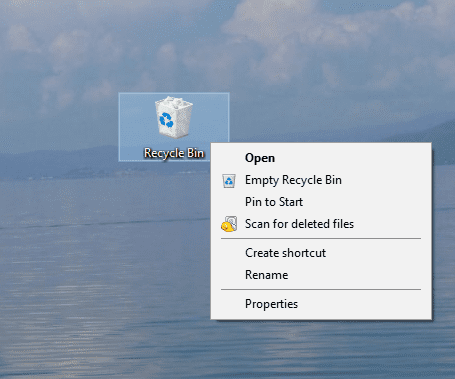
So what do we need to do? We go to the desktop and look for the Recycle Bin . Then, we right-click on it. In the menu that opens, we click on Properties.
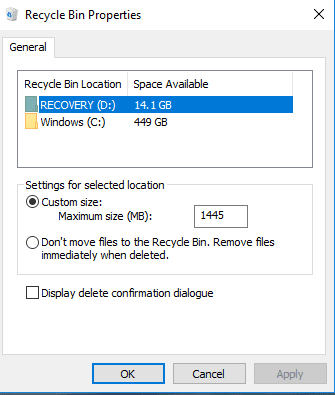
In the properties menu, you'll find an option called "Show dialog box to confirm deletion ." Next to it is a confirmation box. In many cases, you'll find that this option is already enabled . Therefore, all you need to do is disable it. Once you've done this, click OK.
This way, the notification that appears when we go to empty the trash will no longer appear . If we want to reactivate it, the process is exactly the same. So we can activate or deactivate it whenever we want.