

Google Chrome is the browser most people use on their computers . There might be someone else who has access to the computer, such as a child. Therefore, we might want to block access to certain websites to prevent them from viewing specific content. If we want to do this in the browser, we have a couple of different ways.
While one of these options involves using a third-party tool, since Google Chrome doesn't have a built-in website blocking feature , we can disable a couple of options that affect how a website functions at any given time. We'll tell you more about these options below.
Lock settings in Google Chrome
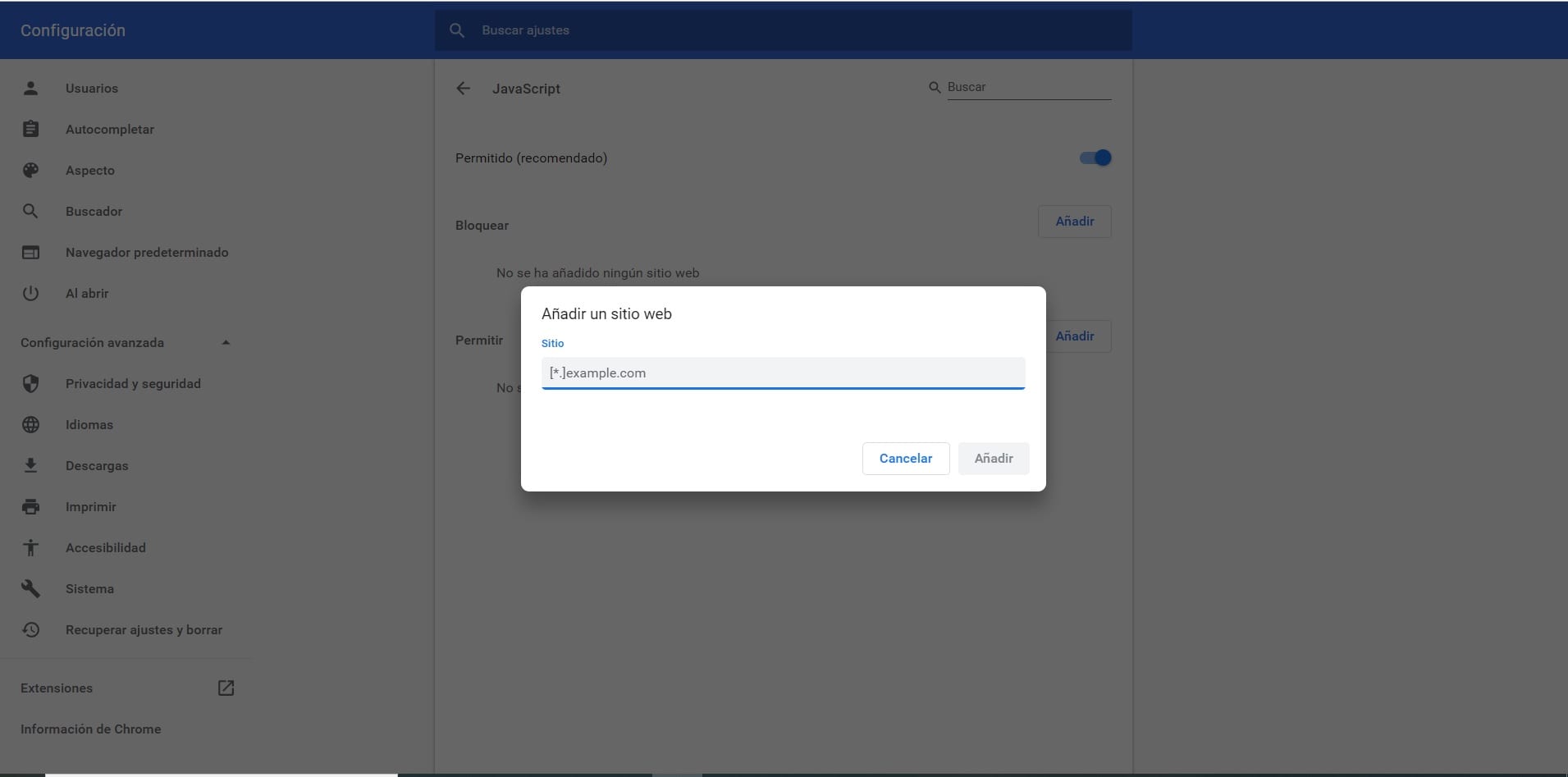
Since Google Chrome doesn't have a built-in feature to block websites, we can use an option that renders them partially unusable or hinders their proper functioning. This option allows you to block certain settings or elements, such as images or JavaScript , which will prevent the website from working correctly or displaying certain elements on the screen. It's a kind of partial blocking.
To do this, tap the three vertical dots in the top right corner of the screen. A context menu will appear; select the settings option. Scroll through the settings and tap the option that will take you to the browser's advanced settings. In this section, find and tap Website settings.
Since we want to prevent this website from functioning correctly, we need to access the JavaScript and Images settings. In these sections, all we have to do is add the website we want to block. Click the "Block" button, and you'll be prompted to enter the URL of the website you want to block in Google Chrome. Then click "Add," and you'll see that anyone trying to access that website will encounter problems.

We can repeat this process as many times as needed to block access to any websites we want in Google Chrome. In the future, if we want to grant access again, we simply remove them from this list in the relevant section. Therefore, we won't have any problems in this regard.
Extension to block web pages
As we've seen, Google Chrome doesn't really have a native function that allows us to block access to a website. In this regard, we can use a browser extension , which will prevent access to a website. Therefore, it presents itself as a much more comprehensive option in this respect, as well as being much easier to use.
The extension in question is called BlockSite , which you can learn more about and download at this link . It's easy to install in your browser and works simply. When you're on a website you don't want to see and want to block, just click on the extension's icon, located in the upper right corner of the screen. Then click "block," and the website will be blocked in your browser, preventing further access.
It's simply a matter of repeating this process for all the websites whose access you want to restrict in Google Chrome . It's an easy-to-use option, and much more convenient and effective than the previous method. That's why it's probably the most popular option, especially since it guarantees 100% that access to the website is blocked. No one will be able to access it in this case. So don't hesitate to use this browser extension and block access to the websites you want.
Table of Contents