

Video content has become increasingly prevalent on social media. Facebook is increasingly focusing on this format, something we've been seeing on the web for some time now. It's possible that we might occasionally come across a video we'd like to save to our computer. Therefore, we might want to download it from the social network.
To do this, we have several options available, since Facebook doesn't allow us to download the video directly . However, this isn't a major obstacle, as there are quite a few alternatives. Below, we'll explain how to download these videos from the social network to your computer.
Páginas web
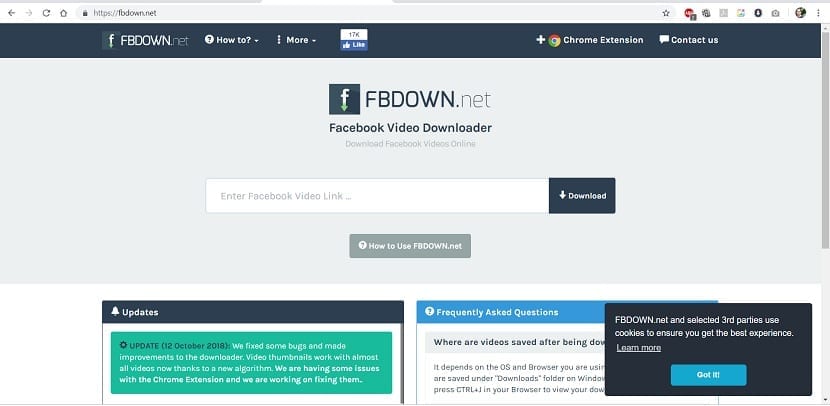
Currently, many websites have emerged that allow us to download these videos from the social network. One of them, possibly the best in this field, is FBDown.net, a website you can visit at this link . Thanks to this website, we can easily download these videos to our computer or tablet. The steps to follow are straightforward.
The first thing we need to do is go to Facebook and find the video we're interested in . In the post where the video is located, we need to right-click on the video. Several options will appear on the screen, one of which is to show the video's URL. We click on it, and then we can copy the video's URL. This is what we need in this case.
So, we can now go to the website, in this case FBDown (although there are other websites available). On this website, all we have to do is paste the URL we copied from Facebook. Paste the URL and simply click the download button . In just a few seconds, the video will begin downloading to your computer. This way, the video is now available for you.

Extensions or applications

If we don't want to use a website, Google Chrome always offers the option of using extensions . This way, by using a helpful extension, we can download Facebook videos directly to our computer. In this case, there are quite a few options available, and it's very easy to use.
If we want to use extensions, we have quite a few options available in the Google Chrome store . One of them is FBDown, the website we used earlier, which also has an extension. Thanks to it, we can easily download all these Facebook videos to our computer. Those interested in downloading this extension can do so from this link . All we have to do is install it in the browser, and then we can start using it. In this case, the only thing we can do is download the videos in MP4 format. This is a limitation to keep in mind.
We also have more options available in this regard. There are other extensions in the Google Chrome store that we can use to download these Facebook videos. Most of them work identically, so you shouldn't have too many problems using any of them. Besides extensions, we can also use some applications on our computer. The only thing is that in this case, we'll have to download them to our computer.

The best option in this regard is JDownloader , which you can see on its website here . It's an application you can use on your computer to download videos from Facebook. It has many useful features, such as the ability to download multiple videos simultaneously. This saves you time when using it. This application works with all computer operating systems, so you can use it on Windows, Linux, or Mac without any problems.
Table of Contents