

Facebook Messenger , the popular instant messaging app developed by Meta, offers a notification system for its users when someone sends or receives a message. When a message is reviewed, the familiar "seen" icon appears. But what if you want to be completely discreet? In this post, we'll explain how to access Messenger without being detected.
All apps of this type have some method for marking messages as read. In WhatsApp , for example, it's done individually using the familiar blue double check. However, in Messenger, as with Instagram , this notification takes the form of a single indicator for the entire conversation. This can lead to confusion.
Any user who wants to know if a message sent on Messenger has been read simply needs to go to the icon with the recipient's profile picture. There, the "seen" icon appears , indicating that all previous messages have been read. As subsequent messages are read, the icon will move down.
Another difference with WhatsApp is that Messenger does not specify the exact time that the message has been read. The only information about this is obtained by clicking on the last message: the date it was sent is shown at the top and the bottom, the "Viewed" icon and the time it was read.
With this cleared up, let's see below how to enter Messenger without being detected. That is, without having to open the chat and prevent the other person from realizing that we have read their messages. Take note of these methods:
with airplane mode
It is not necessary to have to take a flight to benefit from some of the advantages of the airplane mode of our smartphone. This is one of those cases. When activated, all the communication signals of our phone are suspended: it is impossible to access the internet, make calls or send messages. This is precisely what will help us to enter Messenger without being detected. You have to do the following:
- First, we activate airplane mode on our phone.
- Then we open the messenger app. We will be able to see and read the messages without the reading time being updated.
- Finally, having read the messages without a trace, we deactivate the airplane mode and we reconnect to the internet.
through notifications
If you have Messenger notifications enabled on your device, you'll receive an alert every time a new message arrives. This notification typically contains basic message information : a summary of the message, the sender's name, etc. It's all very concise.
However, many times the little we can read in this notification is more than enough to know what the message is about. If this is not the case, we always have the possibility of opening it to see the details, although this means that the person who sent it to us will know that we have read it.
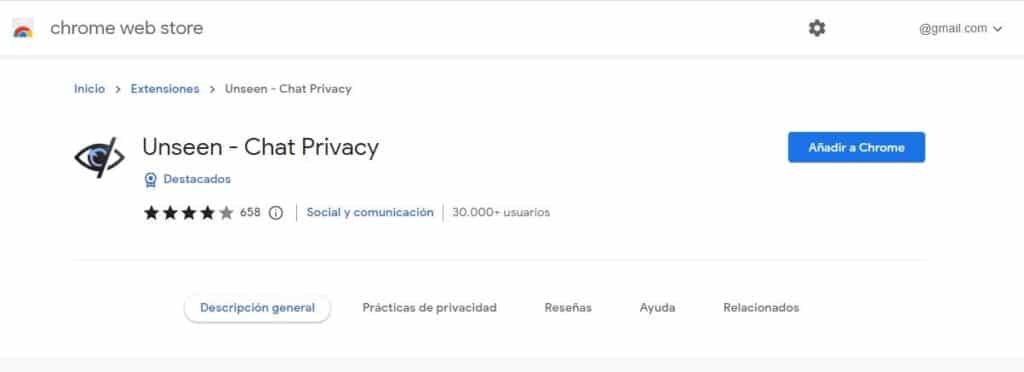
There are two browser extensions that can help us a lot in our goal of entering Messenger without being detected. We already know that extensions can be downloaded and installed in any web browser to add new features. The two extensions that will be most useful for what we want to do are the following:
- Message Seen Disable for Facebook, for the Firefox browser.
- Unseen – Unseen for Facebook Messenger, for Chrome.
With these extensions, the status of seen in Facebook Messenger will be hidden, with which the person who has sent us the message will not receive any notice that it has been read. For it to work, we have to open Facebook Messenger in our browser and then activate it by clicking on the extension icon on the toolbar.
Using an external app
Finally, it's worth remembering that we can always find an app for almost anything we need, including things like this. These are apps that add new features to messaging tools like Facebook Messenger. One of them is FlyChat.
The truth is that FlyChat is going to help us enter Messenger without being detected, but it's also going to be useful for many other things related to this instant messaging app.
And here is our summary of all the methods to see without being seen in Messenger. All of them, with their advantages and disadvantages, work reasonably well, so don't be afraid to use them. One last detail that we have to assess is that this, however comfortable it may be, is something that we would not like to be done to us. So our final recommendation to close the topic is this: except in very justified situations, it is always best to read the messages without hiding and respond openly.
Table of Contents