

Learning how to download free music to your PC doesn't have to be complicated . These days, there are several applications and websites that make the whole process much easier. Although music streaming platforms have become extremely popular in recent years, it's always good to have those songs you never tire of listening to readily available.
In this article we will give you some of the options that you can resort to so that you can download free music on your PC without any problem.
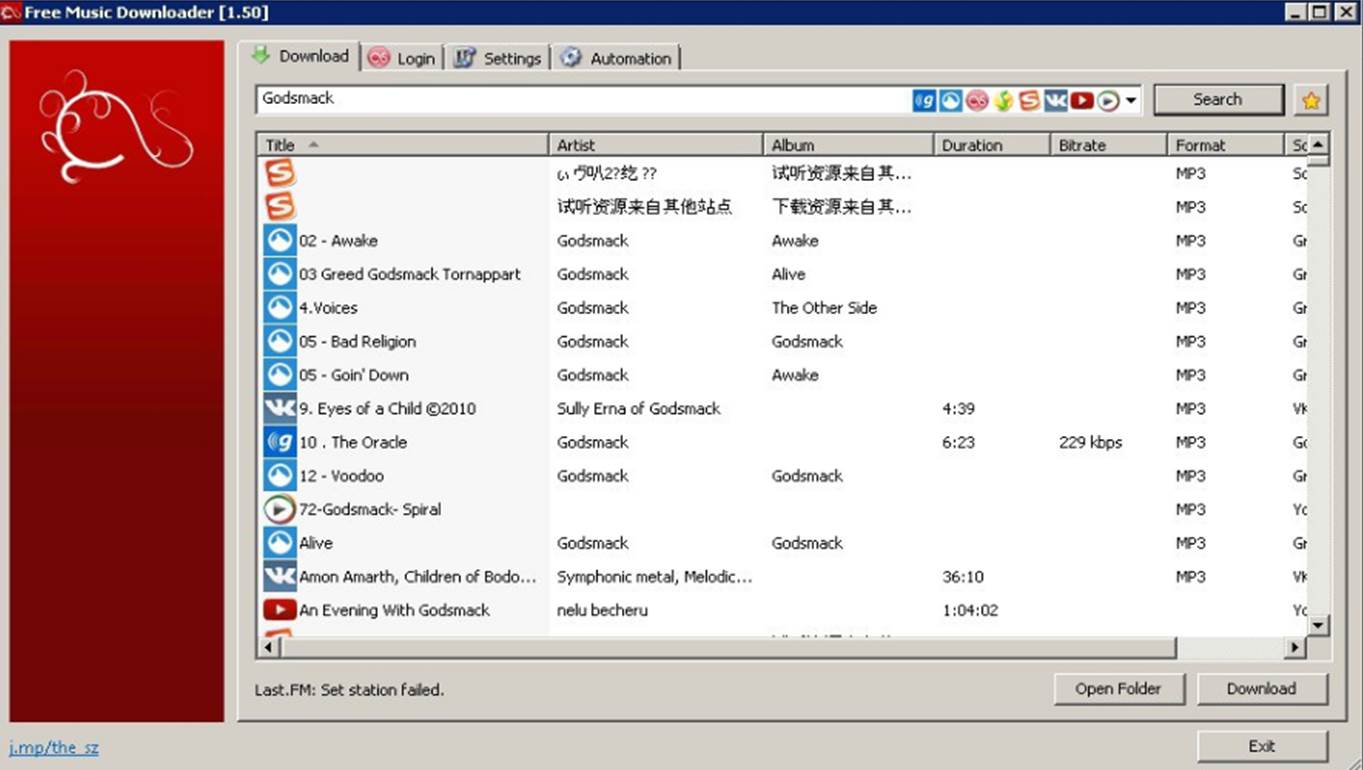
Free MP3 Music Downloader
This is an application for downloading music from various web services. It's easy to use and allows you to download MP3 files from platforms like SoundCloud, YouTube, and GrooveShark. Among its most notable features are the ability to browse artists and popular playlists, and the option to automate downloads.
iMesh
This is an application that lets you download free music to your PC, and it also allows you to share and listen to not only audio but also video . The application boasts an extensive library of approximately 15 million songs. You can download the music in MP3 format. Keep in mind that iMesh is legal, so it won't suddenly stop working.

Freemake YouTube to MP3 Boom
This is an application that lets you search for and download music online from YouTube , without having to download the video as well. You can download the music to your PC in seconds simply by pasting the YouTube URL into the application. The most notable feature of Freemake YouTube to MP3 Boom is that it allows you to download audio in batches and even entire albums from your favorite artists.

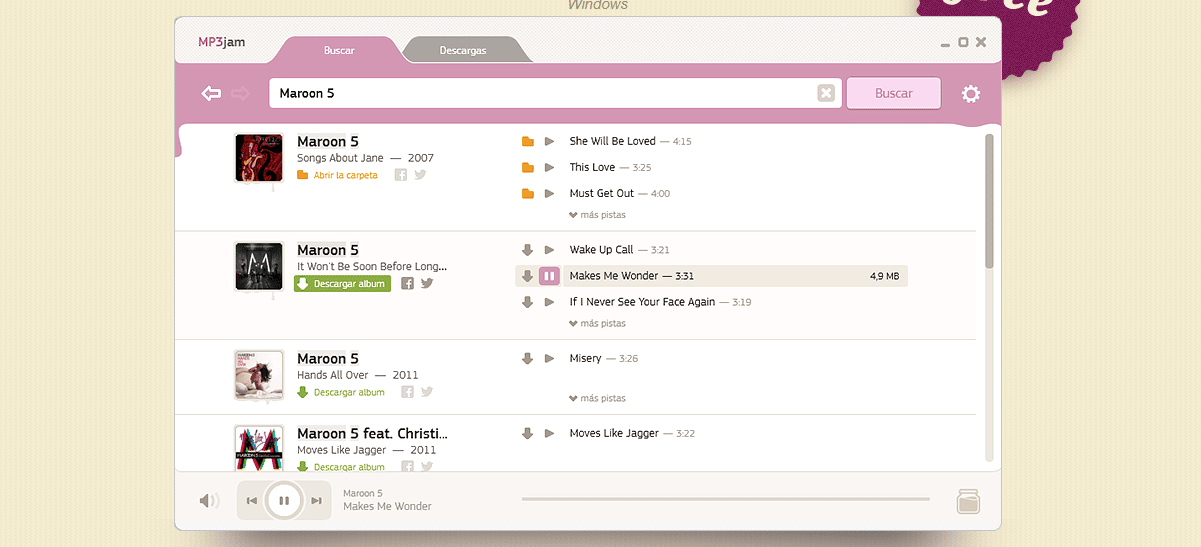
MP3 jam
The MP3jam app is another option for learning how to download free music to your PC. It offers a smart and fast search for MP3 music , and you can even listen to the song before downloading it to make sure it's the one you want. The app lets you download entire albums, high-quality MP3s, download music super-fast, track and view your download history, find songs by your favorite artists, and even share them on your Facebook and Twitter profiles.
clipconverter.cc
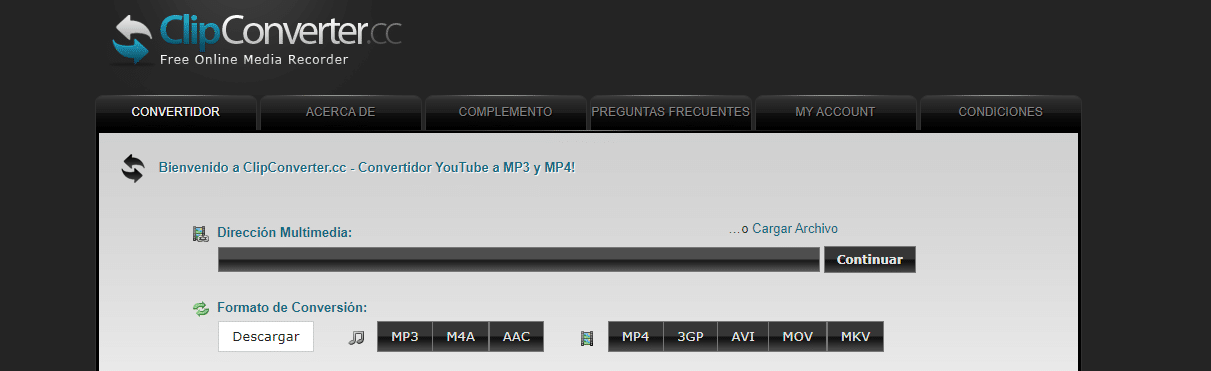
This is a free application, or rather, a web platform that converts multimedia content from virtually any video or audio website, such as YouTube, Direct Download, and Vimeo. Clipconverter.cc is quite simple to use; all you have to do is visit the website.
Once in it you must copy the address of the platform that you want to obtain the audio from and then paste it into that of the clipconverter platform. Now select the format and other options that you consider practical for your songs.
Then you must press the start button and thus the conversion begins and in just a few minutes you can download it to your PC.
YouTube to Mp3 Converter – YTMP3
This YTMP3 converter has become a very popular free site that lets you convert YouTube videos to MP3 and get your songs on your computer. You can also search for songs or artists to download. Among the advantages this website offers are:
- You can insert the link of the song you want to download into the search engine, this way the conversion starts and then the audio is ready to be downloaded.
- It offers high quality 3 kbps MP320.
- You can find several download formats among which are: MP3, MP4, and M4a.
One of the advantages of this converter is that it doesn't require you to download an application . You simply go to the website and begin the search process.
Managing to use the YouTube converter is not that complicated, the first thing you need to do is search for the video on YouTube in the platform's search box. You can also paste the link of the video you want to download as MP3 in the search box of the platform.
Once you have found the video you must press the convert button, when doing so it shows you the speed options in which you want to download your song, either in MP3 or MP4.

Y2mate
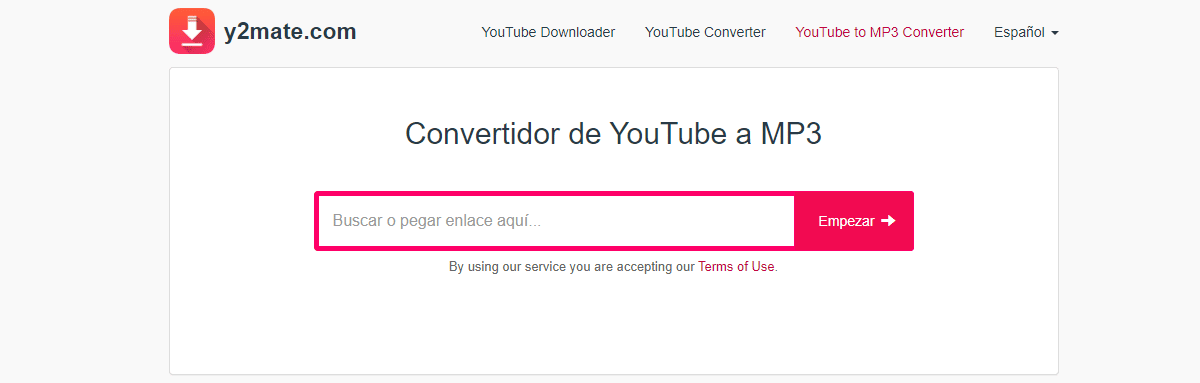
This is another website you can use to learn how to download free music to your PC . The process is simple: first, select the YouTube video from which you want to download the song.
Once you have selected it, copy the YouTube video URL and go to the Y2mate website.
When you have already copied the link, you just have to paste it in the Y2mate search box and press the “start” option. Doing so begins the conversion of the video to audio and then you select the download option which only takes a few seconds or minutes.
You just need to repeat these steps so that you can download all the songs you want by copying the URL from YouTube.
byclick
This is an application that allows you to download music from YouTube easily and with very little hassle. The first thing you need to do is download the application from its website and install it on your computer.
Among the advantages this application offers is its compatibility with a wide range of sites, including YouTube , Instagram, Vimeo, Dailymotion, Youku, and more. It also allows you to download YouTube playlists and even entire channels. With this application, you can also download videos in various resolutions such as 720p, 1080p, 4K, and 8K. Furthermore, it can convert them to formats such as MP3, MP4, AVI, FLV, WMV, 3GO, WEBM, MKV, WAV, AAC, and M4A.

These are some of the methods that allow you to learn how to download free music on your PC so that you can get all the songs you want on your computer without any problem.
Table of Contents