

More and more people are joining this new way of watching TV and listening to radio: Photocall TV . One of its biggest draws is that it's completely free, but that's not the only reason for its success. Below, we explain all the details you need to know.
We're talking about an online platform that works very well, with an extensive catalog of content for all audiences and tastes: themed channels, children's channels, sports channels, international channels, adult channels… and more than 1.200 channels in total. It's free and ad-free.
One of the most interesting aspects of Photocall TV is that the platform can be accessed through any web browser and from any device. Simply accessing it will display a long list of radio and television channels, many of them free-to-air and others pay-per-view. All content is streamed online using third-party servers.
What content can we find on Photocall TV?
Although the content of Photocall TV is constantly being updated, the total number of channels available is always around 1.200. The name "Photocall TV" is due to the fact that the icons of each of the channels appear on a background board, just like the photocalls that are installed at press conferences and prominent events.
As a summary, this is a small sample of everything that we will be able to find there:
- Free DTT channels, around 200. As is logical, we also have at our disposal the same channels that we can normally have at home, both public and private: La 1, La 2, Cuatro, Antena 3, La Sexta, Telecinco... Also the different regional channels in Spain: Canal Sur, TV3, ETB, etc.
- International channels, about 400. And from all continents. For example: CNN, FOX, Deutsche Welle, BBC World, CCTV, TV5 Monde, Al Jazeera…
- Thematic, a wide offer that covers fields as diverse as sports, music, children's, comedy, cinema... and even for adult content. More than 400 are available.
- Radio. Some 200 on-demand stations: Radio Nacional de España, Cadena COPE, Onda Cero, Cadena Dial, Los 40, Europa FM and many more.
- Guides and information very useful addition. On the one hand, links to Movistar+, TV Guía and others; on the other, the information section of Photocall TV. We will also find a menu with links to the most used and best quality VPNs to watch streaming content.
How Photocall TV works
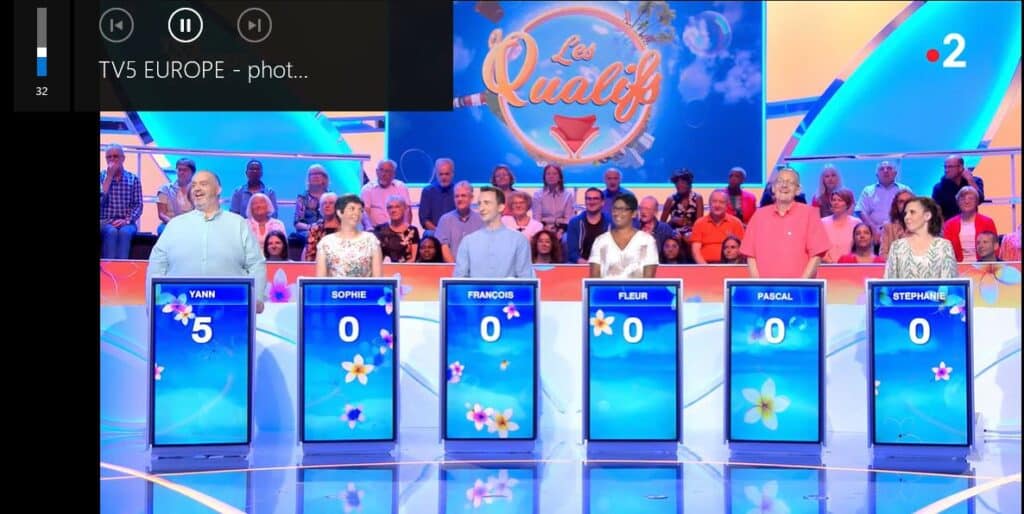
Unlike other platforms, Photocall TV doesn't require installing any client app . Simply access it directly from your preferred browser and open its official website . There you'll find all the content. It's that easy. Registration is also unnecessary : you don't need to enter your email address or any other personal information.
To access the different channels, we go to the content tab and click on the icon of the chosen channel. At this point, there are two possibilities:
- one opens new tab in the browser in which the player appears to start viewing.
- A dropdown menu (this happens when the channel has several options available).
It must be said that Photocall TV offers quite good picture quality , although this can vary from channel to channel. In any case, it's more than sufficient considering it's completely free. As for stability , it's more than acceptable. There are no unexpected interruptions, nor does the image freeze.
Photocall on my device
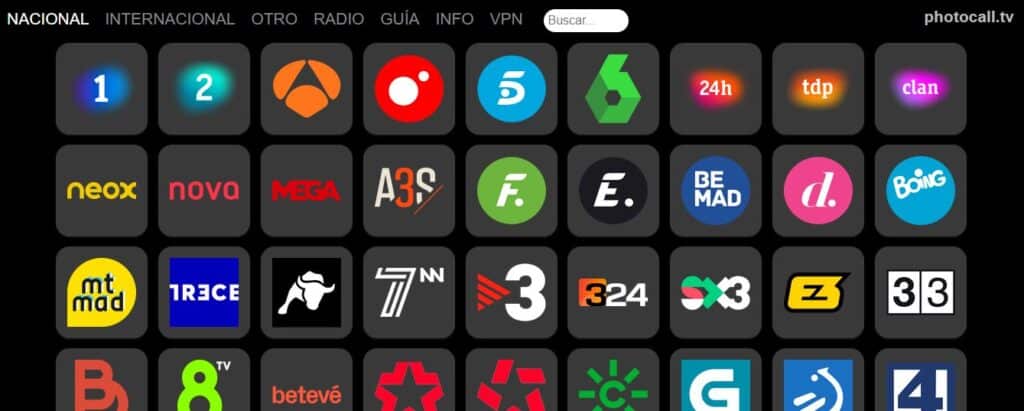
This is how we can access Photocall TV and its contents from different devices:
On a PC, mobile phone or tablet
For all these devices, the procedure (very simple) is always the same, regardless of the operating system we use:
- First of all, we open the browser.
- Then we go to the Photocall TV website.
- Finally, we click on the tab of the channel that we want to view.
On a Smart TV
To access Photocall TV from a Smart TV, the method is somewhat different. Here we have two possibilities:
- If integrated web browser is in our operating system (WebOS, TizenOS, Android TV...) is compatible with this streaming modality, just follow the same steps as in the case of a PC or mobile phone.
- If we use chromecast, we can download the application Web Videocast from the Google Play app store or from the App Store. This app will act as a browser and we will be able to open Photocall TV in it.
In all three modes, the playback settings will be the same. We will be able to, among other things, pause and resume playback, change the video quality, access full-screen mode, adjust the volume, and so on.
Table of Contents