

You may have noticed, when checking your computer's specifications, that your model is using all of its installed RAM . It's important to understand that there are differences between installed RAM and usable RAM. Many people may not be aware of these differences, but knowing more can be very helpful in many situations.
Laptop users, in particular, will notice these differences. Therefore, we'll explain everything about the differences between usable RAM and installed RAM . This way, we'll learn more and be able to get the most out of our computers.
Most users know how much RAM is installed in their computer . This is something we can easily check at any time in the computer's properties. Many users already know this because they remember the computer's specifications when they bought it. This information is especially common with laptops.

Therefore, if you want to check or have any doubts, you can do so by going to My Computer and then to Properties . One of the pieces of information you'll find there is the amount of memory your computer has. So, we already have this information available. In addition, there are applications available that can also tell you how much memory you have. Both options are valid for accessing this information.
Installed Memory vs Used Memory
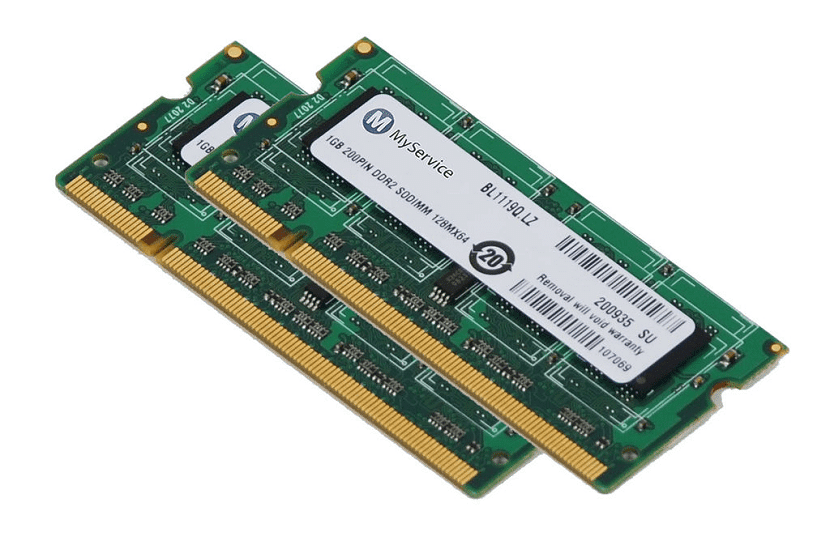
If you've done a little research on your computer, you've probably already noticed that the installed and usable memory don't match . When you realize this, it's time to find out why. There are a couple of things to consider that directly influence this situation.
On the one hand, installed RAM is identified in the Windows properties panel , which we used to find out how much memory we have installed. So, when we go there, we can see the amount installed on the computer. Next to this number, we'll see an additional number in parentheses. This number refers to the amount of memory that is available for use. There are usually a couple of important factors involved in this.
Depending on your operating system version, Windows 10 in this case, you may have either the 32-bit or 64-bit version . This is important because the 32-bit version cannot address more than 4 GB of RAM. Therefore, using more memory would be unnecessarily large. Just below this information in the properties panel, you can see whether you have a 32-bit or 64-bit version, if you are unsure.
On the other hand, the operating system may allocate a portion of the RAM to other computer functions . It's common for a small amount to be dedicated to other functions, such as graphics. This isn't typical for many desktop computers, although it can happen on laptops, provided the graphics card is integrated. However, this isn't usually shown in the system properties. This may be the case for many users, who will therefore see this difference reflected in these figures.
However, if this happens, it's still wise to be vigilant. It could be that a virus or malware has infiltrated the computer, or that a program is causing problems. Therefore, it's a good idea to check that everything is working correctly on the computer and that these differences between installed and usable RAM are due to other reasons, and not because of a virus or other threat, which is usually not the case.